Keepsake Organization Part III: DIY Family Memory Boxes

Last on my list for organization projects to kick off 2024 (along with family yearbooks and file boxes for each child) was finding a good storage place for some of our most special family keepsakes. Our wedding memorabilia, mementos from our dating and newlywed years, and our family’s small keepsakes and loose photos all needed a home, and this set of archival storage boxes is perfect!

I got this idea from listening to Nancy Ray’s Work and Play podcast. She’s a former wedding photographer and a huge advocate for treating your family’s photos (professional photos, camera photos and iPhone photos alike) as what they truly are – your family’s legacy. Her approach inspired my giant personal photo overhaul, changing the way I approach, manage and store our family’s digital photos, but she also encourages safekeeping of printed photos and tangible memories. Her Legacy Photo System involves five boxes, but that was a little much for our family’s needs. Two is perfect for us now, and we can always get more if we need to.

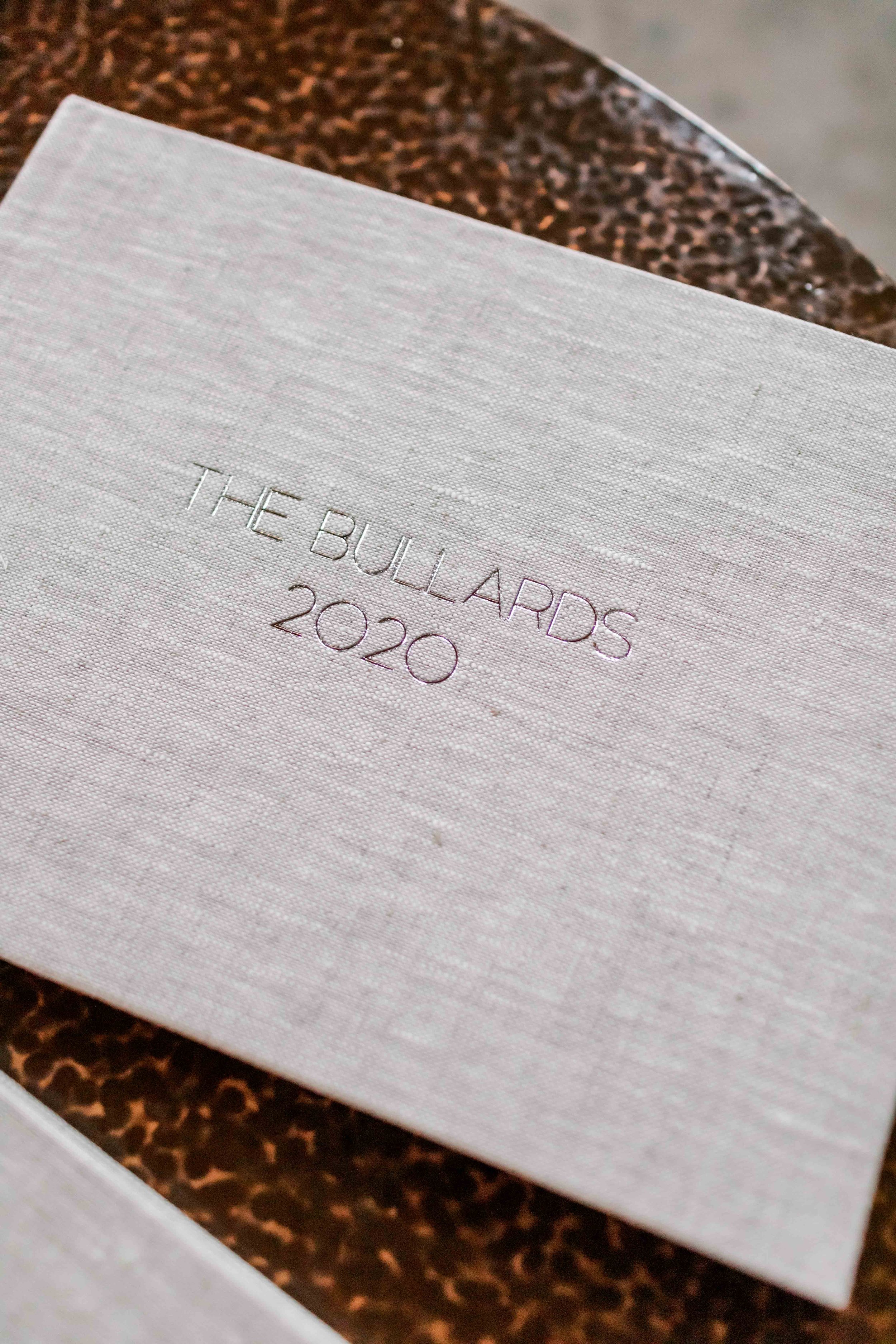
These acid-free archival boxes with metal-reinforced sides prevent photos and papers from damage and from yellowing over time and while they’re obviously not fireproof or waterproof, they’re lightweight and an easy-to-access place to store things for generations.

As I was gathering photos from various places to put in these boxes, I realized that most of them have the file name and/or year they were printed in fine print on the back; however, that info isn’t really helpful if it doesn’t match up with when the photo was actually taken.

So I took a sharpie and wrote helpful information on the back of each one – date taken, ages, event if applicable. It made this project take a lot longer, but I know I’ll be glad I have those notes in many years when my memory gets fuzzy. You think you’ll remember, but I could barely remember things about photos that were taken 5 or 10 years ago, so I know it’ll only get harder!

In our wedding box, I put our save the date, stationery from our wedding, letters we wrote to each other, mementos from the day we got engaged, a handmade banner my then-7-year-old cousin sewed for us, the USB with our wedding photos, and all of our loose printed photos from our wedding. Essentially, anything pre-children goes in this box.

Our family box will house all of our printed family photos that aren’t in our yearbooks or in frames, along with any other small mementos from trips or events that we want to hang onto over the years.
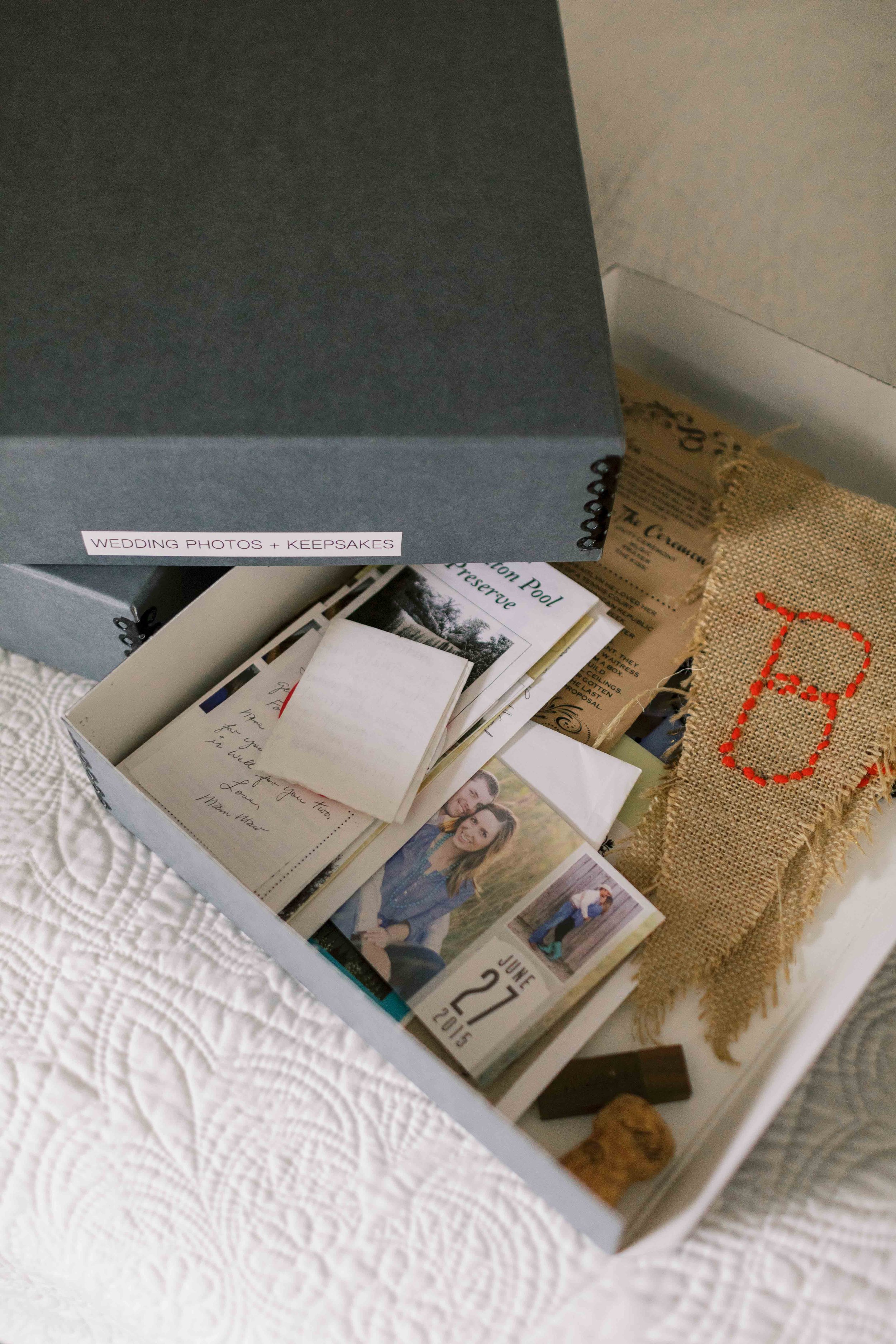
The cut sides on these boxes are on purpose, in case you want to slide out something on the bottom out from the side instead of having to pick everything up. Shop these exact archival boxes HERE or via the widget below – I did the 2-pack, size 11”x15”x3”, which will hold years and years’ worth of photos for us, even 11x14 prints.

This was one more of those projects that allowed me to breathe a deep sigh of relief once I finished. The peace of mind from having these precious keepsakes organized, easy to access and in a safe place – it’s priceless!

Keepsake Organization Part II: DIY Kids' File Boxes

Along with getting caught up on family yearbooks and photo boxes, one of my organization projects for the beginning of 2024 included getting a system in place for our kids’ papers. They’re still just in a Mother’s Day Out preschool program right now, so it’s mostly handprint crafts and coloring pages in our house. After they get their spotlight on the fridge, I don’t just want to toss them, but also don’t want them to pile up. I want to keep them in order and from getting damaged.

Enter: these DIY kids file boxes. They’re the perfect solution for keeping school papers worthy of saving, along with other paper things like birthday cards, letters, photos and more, organized and contained all in one place. When they leave the nest some day, they’ll have this to take with them and everything will be easy to access and revisit.

I have to give credit for this idea to Francie Outlaw and her Filing System for Childhood Memories – I followed her steps pretty closely, just tweaking and adding a few things along the way.

These DIY kids memory boxes are really pretty simple. A clear file box for each child, one colored hanging folder per year (we color code pretty much everything in this house), with 2 manila folders in each. Starting with Pregnancy/Before You Were Born, First Year, 1 Year, 2 Years, 3 Years, 4 Years, 5 Years, and then Kindergarten all the way through 12th Grade – even a College folder if you want to include that.

The first manila folder for each year holds documents – things like report cards, certificates, notes from teachers, class photos, birthday cards and letters. The second manila folder holds classwork and artwork. For the pregnancy and first year sections, I put things like ultrasound photos, baby shower cards, birthday cards, and their baby book in those folders.

What I Used to Make Our Kids’ File Boxes

For each box you’ll need: one legal/letter file box, 21 colored hanging folders, 42 manila folders, 42 labels, and a name decal.

You can shop everything I used to make these DIY kids file boxes by clicking here (everything is from Amazon) or using the widget below. The only thing I purchased elsewhere were the name decals from Etsy. She has tons of font and color options. I ordered the 2.5” size for the front of each box.

Each box took me about an hour to put together, mostly because I used my label maker (if you can use a printer to print file labels this will go much quicker!). Little bit of a tedious project on the front end, but this will set us up for ease and success going forward. If you’d rather buy a box already put together, here are a few premade kids file box options from Etsy!

Tips for Storing Kids’ School Papers and Memories

WHAT TO KEEP: Paring down these kinds of things is harder for me than paring down my own keepsakes. There’s a painted handprint for every holiday, things they colored, precious papers with their name in giant, carefully drawn letters. To each their own, but during these MDO/preschool years, I’m trying to keep 3-4 handprint things, 3-4 things they wrote/colored, and 3-4 other crafts per year.

For crafts when they’re small, I like to hang onto things that are actually their handiwork – not things you can tell the teacher mostly did for them. For cards and letters, I try to only hang onto ones that have more than just a name signed – any with sweet notes they’ll really love to go back and read later on! The goal is to keep the folders from being stuffed to the brim, so I’ll put things in there I think I might want to keep, and if/as they get full, I can go through and pare things down even more. We’ll see how things change as they get older and are bringing home different things, but this is working for us right now.

DATE. EVERYTHING: You think you’ll remember when something’s from, but it’s tough! As I started going through our kids’ storage bins and moving all the papers into these file boxes (they each also have a big bin where I put other keepsakes like clothes, memorabilia and bulkier things), I was finding so many cards, papers and pieces of artwork with zero way to know when they were from. I’ve made it a habit now to jot down the month/year/their age on the back of things as they come into our home and I know I’ll want to keep them.

Again, if you’d rather not go the DIY route and would prefer to have one of these ready made for you, there are several fully assembled kids’ file box options available on Etsy!

Personally, I enjoyed putting the boxes together myself and being able to choose the colors of the folders, customize the name decals, and add the extra folders where it made sense. Again, HERE is the shoppable post with all of my supplies. And if you’d like to print my yearly About Me template, right click below to download.

If you’re overwhelmed by the influx of school papers and not sure what to do with it all, this is a great starting point. Happy filing!

Keepsake Organization Part I: Family Yearbooks

What a labor of love and a long time coming. Our family yearbooks are finally here! I set out to make these happen a few years ago after seeing my friend Melanie share hers, but I knew I needed to get caught up after doing a complete overhaul of my digital + iPhone photo organization, changing my mindset around taking photos of my children, and really getting serious about those photos being our family’s legacy – not just taking up space on my phone.

Twenty years from now, our kids won’t be scrolling through our phones to revisit their childhood memories. We NEED tangible memories – and to narrow it down so they’re not burdened with an overload of photos.

I cover all the details of how I manage and store my personal photos on this blog, so I won’t go into too much detail here, but part of my system includes copying my iPhone photos onto my external hard drive (and a backup drive and the cloud) at least once a month. As I’m doing that, I go ahead and pick some favorites from that set of photos to save for our annual yearbook. This makes it super easy at the end of the year because we already have our very favorites saved and ready to go.

Why I Chose mPix for Our Family Yearbooks

After lots of research and even starting an account to test things out on four different websites (Artifact Uprising, Milk Books, Blurb, and mPix), I ended up choosing mPix to create our yearbooks. Artifact Uprising’s products are gorgeous but a book the same size and same number of pages was more than twice the cost of mPix. I also very much preferred mPix’s layout options and the ease of their drag and drop features over any of the others.

TIP: If you do an mPix book and want the most easily customizable pages, choose “Empty Page” as you’re building out your spreads, then drag and drop the photos you want onto that page, then change the layout if needed. Way faster!

Product Information for our MPix Family yearbooks

I went with the 11x8.5” Premium Linen Hardcover photo book, in the color Sand, with silver foil debossing on the front cover, and a dust jacket. I really would’ve preferred our last name and year foil stamped on the spine itself, but that option was super hard to find on any website in my price range. I ended up loving the dust jackets anyway! I chose a photo from the beginning-ish and end-ish of each year.

Doing a landscape layout meant I could fit more portrait-oriented photos on each page, plenty big but still with plenty of white space so it’s not too overwhelming. I did 3-6 photos per page for the most part.

These books come with 20 pages – ours ended up with 35-45 pages each (about 250 photos per year), so the extra pages, plus debossing and dust jackets made them about $120 a piece. I think these are WELL worth the cost. The quality is incredible – the cover is gorgeous and the matte pages are beautifully printed on sturdy cardstock. Plus, mPix usually runs a 40% off sale sometime in January, or you can get 25% off your first order any time.

Helpful tips for creating family yearbooks

Double check that whichever website you’re using has an auto-save feature and if not, save your work after each page – mPix does not have auto-save and I learned that the hard way, unfortunately!

Beware of issues with HEIC images (what your iPhone probably defaults to). None of the websites I tried accept HEIC photos, so you’ll have to convert to JPEG (use this website to convert several at once, or you can open one in Preview on a Mac and Export it as a JPEG). HOWEVER – when you convert from HEIC to JPEG, the image loses its original date taken info, so keeping things in chronological order was a complete mess. From now on, I’ve changed my phone settings to capture everything in JPEG (Settings, Camera, Formats, Most Compatible).

Another tip – make a Shared Album with your spouse to house your favorites/best of the best, so their favorites from their phone get included. I’d been keeping track of my favorites all along but getting caught up on five years’ worth of books meant Andrew had to go back and look through five years of photos on his phone and pick out his favorites, too. Having him put them in our Shared Album will make things easier from now on.

We’ll also do a Shared Album for videos that’ll make our yearly family movies even easier, too. For these, I just drag and drop all of our videos from each year into iMovie and it automatically puts them in the right order and makes a compilation. No transitions, no fancy editing, just all of our favorite videos from the year strung together to make one long movie. It’s so easy but such a treasure!

Thoughts on Quality over Quantity

Honestly, I haven’t been taking as many photos of my kids these days. They’re little busybodies, and while I want to remember these days, I also want to cherish them as they’re happening and not have my phone or my big camera in their face constantly. I took about 650 total photos and videos on my phone in 2023 and about 1000 in 2024 – there’s no magic number, but narrowing down 250 favorites from those was tough enough, and we still ended up with beautiful yearbooks full of photos that make us smile.

No Matter What – Print your Photos

These yearbooks are incredibly special to us and I know will be cherished for a lifetime, and hopefully beyond. Whatever you do, no matter how you choose to do it, whether it’s monthly Chatbooks, big yearly albums, a combination of both, or even just regularly printing 4x6s of your favorite iPhone photos and putting them in an old-school album – print your photos. It’s so worth it!

How I Organize Our Important Family Documents

If you know me or you’ve followed along for a while, you know how deep my love runs for all things organization. Today I’m sharing how I organize our most important family documents – things like legal documents, taxes, insurance, and medical bills. Everyone has their own system for this – just sharing what’s worked for us and what’s helped keep the paperwork under control over the years.

My Filing Rules

When it comes to important papers, I have two rules. One: do something about it NOW. Whether that’s paying the bill (when feasible of course), calling customer service, filing away a paper where it actually should go – don’t put it off. Deal with it as soon as possible as things come in.

And two: if there's also an email/online copy (utility bills, most receipts, etc., something I could print if I needed to) I don't keep a paper copy. Sign up for e-statements and auto-pay, auto-archive those bills to an email folder so they never even hit your inbox, and read/toss the papers that come in the mail. There are rare instances where I do like to have paper copies, or multiple copies, of things, but for the most part, I want these things on auto-pilot so I’m NOT wasting time messing with actual papers.

Our Fireproof File Boxes

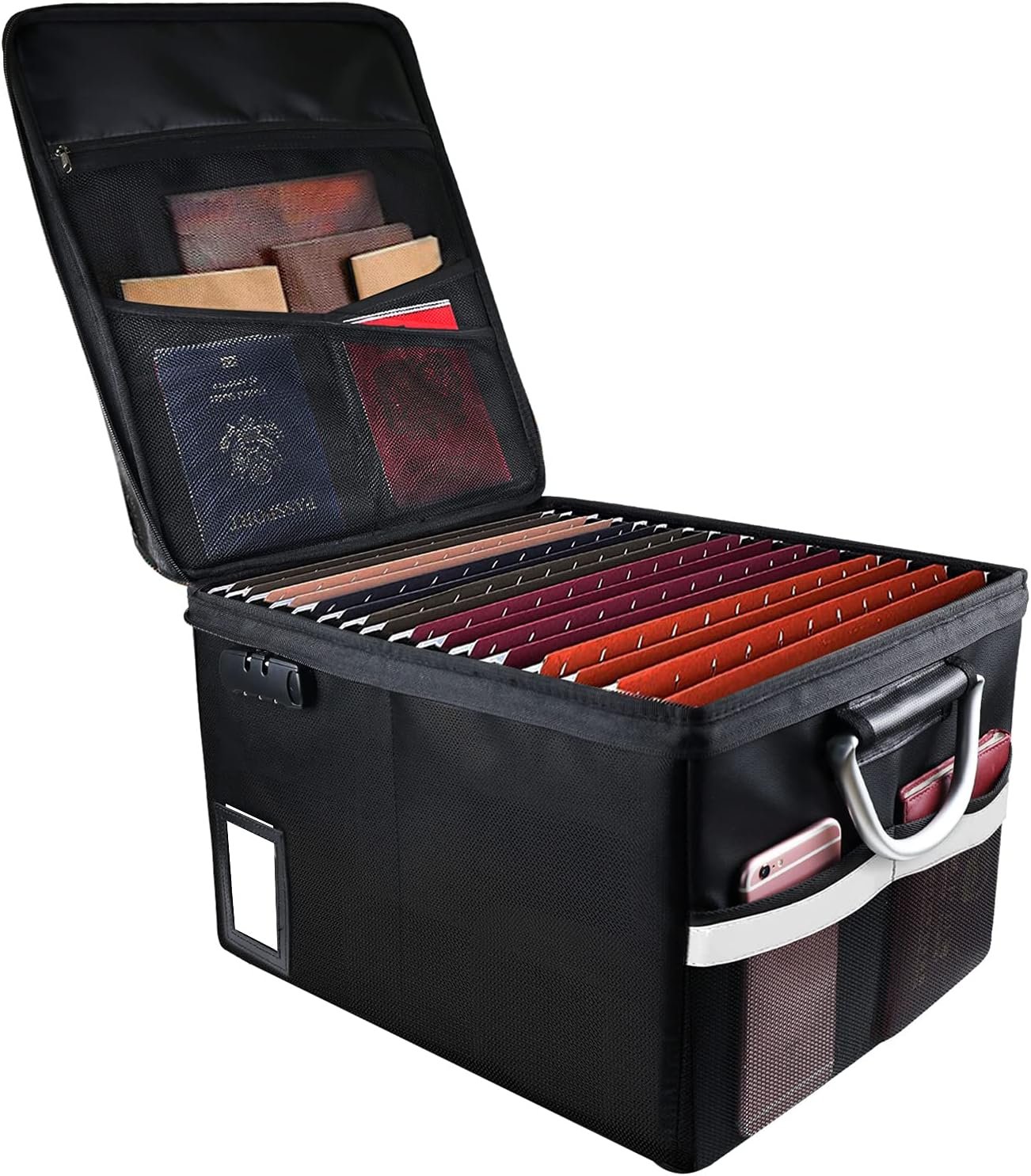
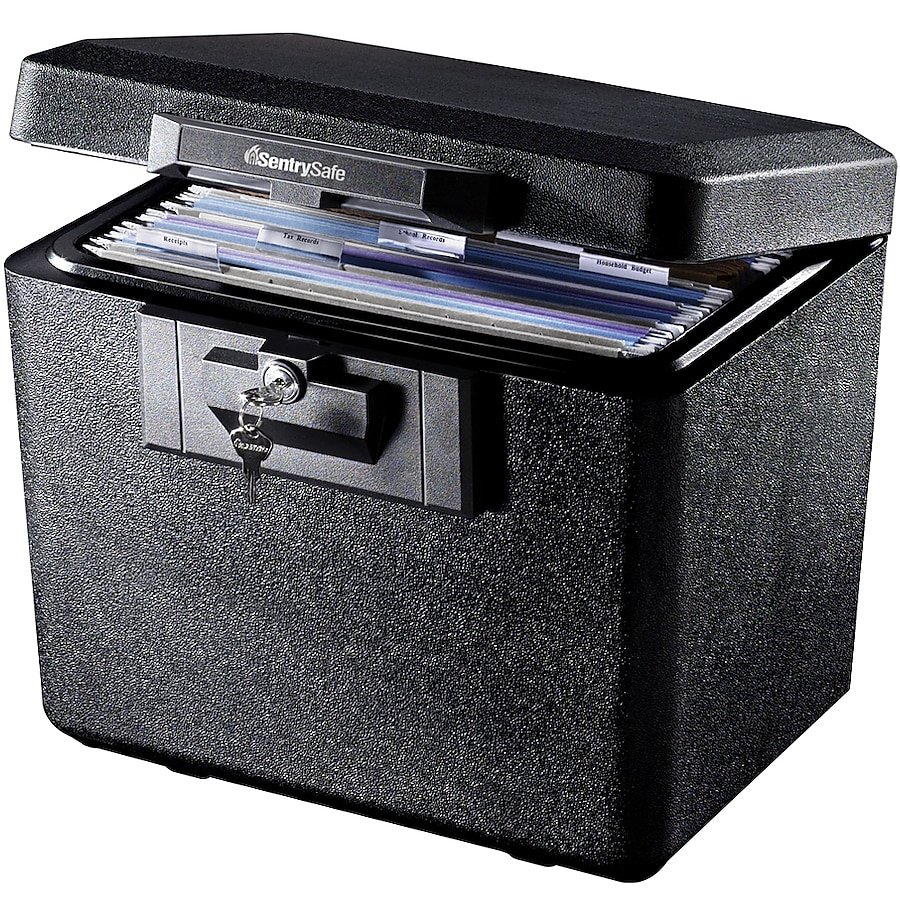
I keep our important family documents in a fireproof file box like the ones below (scroll through the widget below to see options - our heavy duty one is from Walmart, another great fireproof option with extra pockets is on Amazon), with colored hanging folders and tri-cut manila folders. We actually have two boxes – one is not quite enough room to hold everything for our family, but the peace of mind from having these things safely tucked away is worth it.

How I Color Code Our Files

A pack of hanging file folders with FIVE colors (like these!) makes it so easy to color-code these things. Here’s how I handle ours!

BLUE = LEGAL

This section includes things like passports, birth certificates, immunization records, social security cards, wills, powers of attorney, advanced directives, and business formation documents. This may sound morbid, but having an attorney for a husband and a funeral director for a father-in-law (they’ve seen some drama when it comes to these things), I cannot emphasize to you enough the importance of having an estate plan, which includes things like wills, powers of attorney, and advance directives in place – especially if you are married and ESPECIALLY if you have children. The complications your family members will have to deal with (or fight over) if you don’t have specific plans in place… just not something you want to burden your loved ones with. You do not have to have a large or complicated “estate” to be worthy of having an estate plan – these things are for EVERYONE.

Texas friends – if you do not have these things in place, Andrew and I highly recommend our attorney friend Marley Elliott! She’s helped us with all sorts of things, from estate documents to business formations. She’s super great at explaining things in an easy-to-understand way, very fairly priced, and can do everything remotely.

GREEN = FINANCIAL

This is where I file anything credit card-related (disputes/payoff records, but not statements – opt for e-statements, always), retirement/investment account documents, 3 years of tax returns, and any loan/line of credit documents.

YELLOW = HOME

The yellow folders house anything related to our home, including property taxes (these could also go in Green but since these are more “active” tax documents, I put them here), lease/purchase/refinance documents and anything real estate-related. I save home repair invoices here and receipts for major purchases (furniture/appliances). I also keep a couple of copies of a recent utility bill, as these are needed occasionally. Otherwise, all utilities are handled online!

RED = INSURANCE

All things home/life/auto/health insurance go here! I have a separate file for each family member's medical bills and explanations of benefits (EOBs) for the last 3 years. Definitely keep your EOBs for a while (this is one thing I do prefer to keep hard copies of, in addition to online copies) – I’ve learned hard and expensive lessons there.

Always, always compare your medical bills to what the EOBs said would be covered, and do not be afraid to call and advocate for yourself. Doctors’ offices make billing mistakes (intentionally or not, at the expense of patients who aren’t paying close attention) ALL. THE. TIME.

If any family member has a significant medical procedure, I keep all documents and bills related to that in a separate file. And on that note, I keep all pregnancy/delivery-related bills and EOBs in a separate file for each baby.

I only keep the current and one most recent previous car and home insurance policy – if our coverage changes, I like to have one previous record to compare it to, but that’s about it. No need to keep years’ worth of those things.

ORANGE = OTHER

This is where I keep things like job records (offer letters, contracts), vehicle purchase and maintenance records, charitable giving records, veterinarian records, and hobby-related things like membership documents and large purchase receipts. School records (report cards, transcripts, etc.) are kept in our kids’ personal keepsake file boxes. Read more about those HERE!


If you’re feeling overwhelmed by the never-ending influx of paperwork, I hope this was helpful! Obviously every family’s will look a little different. Just having a specific place for things to GO makes a difference in keeping clutter under control so it doesn’t pile up, on the counter or on your to-do list. If you’re on a decluttering mission this year, taking care of tasks related to these things and safeguarding this kind of documentation would be my number one place to start.

Shop all of our important document organization items, all in one place, HERE.

How I Manage + Organize My Digital and iPhone Photos

Consider this a sequel to my post on Living with Less and Prioritizing Simplicity in our Home. This time, we’re talking all things digital photos! After doing a giant organizational overhaul of our home and the things in it over the last couple of years, I still felt like I didn’t have a handle on our personal photos. I’ve always kept my clients’ photos organized, with systems in place for culling, storing, and backing up securely, but I couldn’t say the same for my personal photos. The number of Recents just sitting on my phone was in the thousands, and I know I’m not alone there.

As a photographer, of course I value professional photos. They’re artful, intentional, and they help me to remember certain seasons in a really beautiful light. I like to record things for our family with my big camera, too. But iPhone photos can be just as important - the little day to day moments, the funny videos, the vacation memories. They all hold extreme value.

Just like I prefaced the first blog, let me say again – a lot of this might sound harsh or extreme. It’s taken some perspective shifts and lightbulb moments to change some hard-wired habits and ways of thinking. Just like clothes and belongings, I get the attachment to photos and the anxiety/worry/guilt that comes with trying to pare them down. I get it. Your memories are yours alone and what’s important to you is important to you for a reason. So again, this is what’s currently working for me. If something’s helpful to you, great! If not, keep on keepin on.

The WHY Behind My Digital Photo Overhaul

It’s funny to look back and think about our own childhood photos. My mom was great at keeping photo albums and I loved flipping through them, but those albums held dozens, maybe a hundred. Certainly not thousands upon thousands of photos.

Now, we (80s and 90s babies) are parents to the most photographed generation in history. But what purpose is that actually serving? At what point does the sheer number of photos outweigh the benefit of keeping them all? Snapping photos has become almost a comfort thing for us in some ways. We think I HAVE TO CAPTURE THIS RIGHT NOW OR I’LL REGRET IT, instead of allowing ourselves to be fully present and then letting the moment pass on by. But do we lose some of the meaning, the intention, the value of a memory captured if it’s just floating around in a sea of tens of thousands of other memories captured? It sure becomes harder for memories to stand out and be appreciated…

I think some of us are scarred by the lack of tangible memories and sad that we don’t have more pictures from our own childhood. Which is understandable. But the challenge is this: you don’t have to overcompensate for that when it comes to your kids. I actually kind of appreciate the 90s way of NOT having every single little moment captured and saved. There’s gotta be a happy medium that exists between a lack of childhood memories captured on camera, and way too freaking many.

The number of photos on your phone is only going to increase. If your kids are little and it’s already at 5,000, 10,000, 20,000 - what’s it going to be at when they’re in high school? And beyond that? There is no physical way we can go back through and enjoy and relive 100,000, 500,000, a million photos some day down the road. It’s just not feasible. Even if we just wanted to look through a few at a time, or refer back to a certain memory, or photos from a certain season or event, how is that going to work if our photos aren’t organized? Are we going to just hope our iPhones still function the same and we can scroll back through 15 years’ worth of photos? That is a lot of scrolling.

I look at this as doing my future self and my children a favor. Not burdening them with more than they could ever possibly go through. Keeping only the best of the best. Keeping things manageable, for their sake. There’s a fine line between a lot to appreciate, and just plain overwhelming. Just like I’m not going to burden my kids with storage units worth of physical items to sort through one day, I’m not going to burden them with hundreds of thousands of photos, either.

the hardest part: culling

I’ve tried to make a habit of deleting iPhone photos as I go, culling through them daily or just right after I take a bunch. I also LOVE the strategy of using the search feature in the Photos app to search for the current date (ex. July 25) – it will show you every photo and video you’ve ever taken on July 25th of any year. Look through them, smile at some memories you forgot you captured, quickly decide which few are worth keeping, repeat. Doing a nightly cull is a good starting point for going back through and narrowing down/deleting photos from throughout the years, until you’re more caught up.

What does this look like? Blurry, awkward faces, closed eyes – gone. I don’t need 12 pictures if they all have a very similar pose or facial expression. If there are multiple people in a photo from a given event, one or two of that grouping is plenty. If I’m keeping a photo, there needs to be something distinctive about it. A good example every mom can relate to – taking the monthly pictures of your infant. Did you not take 27 pictures of them with the “4 months” sign? And 85 pictures with the “11 months” sign because they were rolling over or crawling off in half of them? I’d go back through those types of “bursts” of photos and narrow it down to literally just one or two (the horror, I know – but you can do this!). If it’s scenery, same thing. I don’t need 3 pictures of the same sunset or skyline, beautiful as it may be.

Distinctive is the keyword. Distinct poses, scenes, angles, facial expressions, actions being captured. 90s mindset. I try to think about it from a photographer’s perspective – the client only knows and cares about the photos you deliver, not the ones you delete. Your kids one day will not know or care about the okay photos you deleted – they’ll be able to better appreciate the good ones you kept.

It might take months on the front end to get things culled and at a more manageable number, but imagine the weight that’ll lift! Make a goal to have your number cut by a certain percentage by a certain date – a third by Christmas? Half by this time next year? And you’ll get to relive some memories as you go. Culling is the most time-intensive part. Beyond that, getting photos and videos off your phone and into folders every couple of months. once you’re caught up, takes minimal effort and time. 

off the phone, onto the external hard drive

A big influence for me in all of this is Nancy Ray – I listen to her podcast pretty often and have always heard her talk about her Legacy Photo System. She’s a former wedding photographer as well and has created an entire course about managing and organizing your family’s photos – your legacy! In her words, “Your phone is a phone. Not a storage device.” Phones get lost. They break. Did you know iCloud only syncs — it doesn’t actually create a backup? If someone gets ahold of your phone and wipes it clean, guess what - your photos are gone forever. Do you really want to trust these memories to iCloud alone? Bottom line: when photos and videos are only on your phone, they’re not permanent.

To get them off my phone and stored safely, I use two hard drives: my main external hard drive, and a backup hard drive. I store very little on my actual computer because I don’t want it to get bogged down and run slower, so all of my client photos (and now personal photos too) are on an external hard drive. My backup hard drive’s only function is to create an exact copy of my external hard drive.

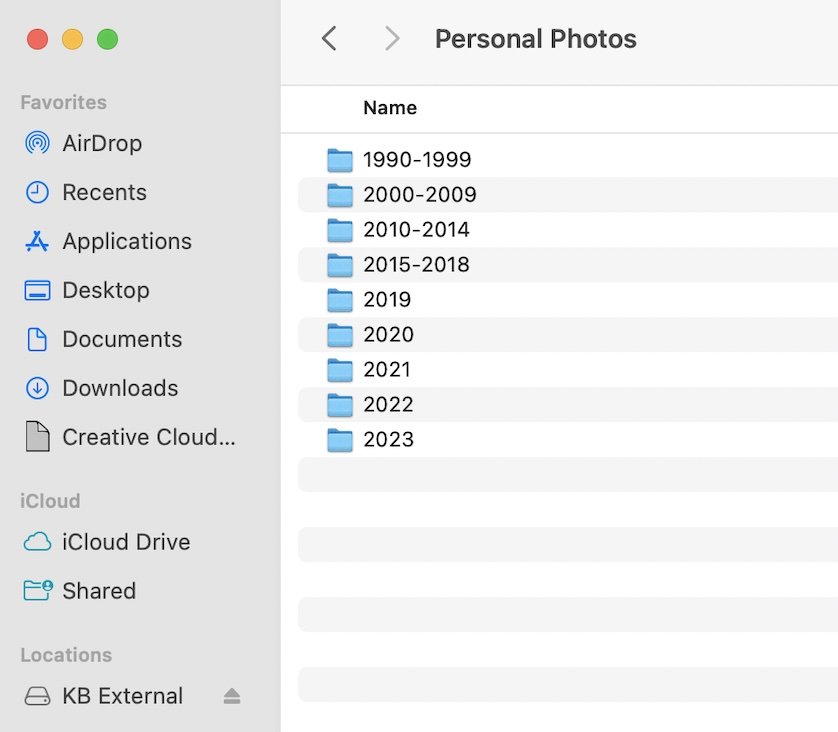
So to get photos and videos off my phone, I use Image Capture (standard on Mac) or even just AirDrop. From there, I drag and drop into folders on my external. Each folder name starts with the year, then the month, then the event name. If there are multiple images from a particular event, that gets its own folder. Random one-off photos and videos can go in a seasonal folder, like 2023 Spring, 2023 Summer, etc. Here are some examples:

For something that spans multiple months (like Pregnancy – I wanted to keep all my ultrasound + bump pictures in one folder) I name the folder with whatever month it started.

After culling a tonnnnn of my kids’ baby pictures, I found it was easiest to group what was left, just day-to-day moments that don’t really fall under an event, into six-month increments: 0-6, 6-12, 12-18, 18-24 months. Beyond that, I do (Name) 2 Years Old, (Name) 3 Years Old, etc., for the miscellaneous photos and videos. For random family photos, scenery, a picture from a random date night, things like that, I do seasonal folders for each year - Spring, Summer, Fall, Winter.

Phone Settings

I realized as I started transferring photos to my hard drive that having Live Photo turned on was creating more work in the long run for me, so I turned it off – controversial, I know. Yes, it’s fun to watch Lives back, but when you import a Live Photo, it automatically creates a photo AND video version of the file and that’s just not worth the extra culling effort or file space for me. I tend to use Portrait Mode most of the time anyway.

Also, after realizing my iPhone photos were importing as HEIC files vs. JPEG, I did some research on what’s best. HEIC files retain the same quality at about half the file size of JPEG, and both types can be edited in Lightroom. However, after running into compatibility issues with printing companies and album software, converting HEICs to JPEGs became too much of a hassle, so JPEG it is for me.

Backing up my photos securely

Getting a quality external hard drive is important, but even the sturdiest external drive isn’t made to last forever. From personal experience and hearing from other photographers, it seems like 5-ish years is a normal life expectancy for these things. Which means having your photos backed up in multiple places is IMPORTANT.

My backup hard drive runs with Time Machine to create a copy of what’s on my external, and I keep it in our fire-proof safe when it’s not plugged in. On my phone, I have the Amazon Photos app, which constantly backs up new photos (not videos, but if you have Prime, it’s free to back up unlimited photos, so it’s silly not to take advantage.)

Beyond that, I knew it was worth paying for some sort of reliable cloud storage to protect these memories – as dramatic as it sounds, it’s our family’s legacy at stake. Like I mentioned before— iCloud doesn’t actually back up an extra copy of your photos, it only syncs what’s currently on your phone (so if your phone is stolen and photos get deleted, they’re gone for good) SCARY. Dropbox is a good alternative and is what Nancy Ray uses - its base plan is $119 a year for 2TB, but I didn’t need quite that much space. I have about 8,000 total photos and videos right now (1200 of those are our wedding photos) for a total of 98GB. Google One (what they now call all your storage across Gmail, Google Drive, Google Photos, etc.) has a 200GB option for $29 a year, which is perfect for me. To be honest, I hate the Google Photos interface BUT, I love the rest of the Google Suite’s integration enough to make up for it, and I like how Google Drive allows you to copy entire folders over from your computer and it keeps the same hierarchy. So Google Drive is where my photos are currently residing on the cloud!

But what about…

Accessibility? Does it bother you not being able to look at old photos on your phone?

Nope! Not an issue, because I still can! I’ll keep the current calendar year’s worth of photos and videos in my Recents folder on my phone, and if I want to look back at something else, I can easily find it on my Google Drive app. It’s all still there, organized into folders just like on my hard drive, it’s just not taking up storage space on my phone itself.

What about things like screenshots, quotes, recipes, etc.?

I did create a folder for those things within each year, however – screenshots are usually something I need to do something about. So as I’m culling, if it’s important enough to hang onto, I’ll either write it down on paper, copy it into my Notes app, email it to myself and file it within Gmail, or move that to-do item elsewhere.

How do you reconcile all this as a photographer? Don’t photographers advocate for MORE photos?

Obviously I’m a proponent of investing in professional photos for your family on a regular basis. There’s so much value in hiring someone to capture your entire family in an artful, timeless way. That said – it will always and forever be quality over quantity for me. It’s okay to only keep your very favorites from professional photo sessions. We cull your photos before we edit and deliver them to you - you’re allowed to cull even more! It’s our job to give you a gallery of what we feel is artful and beautiful. We’re providing you with options, and our goal for you is to really, truly enjoy your favorites. Maybe it’s the whole gallery! Maybe it’s half of them. Just like you do with your iPhone photos, decide which ones are most meaningful for you and your family’s legacy. Go for the ones that immediately make you feel something. Print them, frame them, put them in an album or family yearbook. It’s okay if you don’t hang onto the rest. 

My Goals from Here on Out

I’m planning to sit down and transfer photos from my phone to my computer once a month or as needed. Now that I’m caught up and culling daily, it’s really not too daunting of a task anymore to stay current.

A couple of years ago, before I even started this whole process, I started adding photos to Family Yearbook folders on my desktop. Like, the best of the best. Probably around 150-200 photos per year. I also created a Shared Album on my phone so my husband and I can both add our favorite iPhone photos that we want included in these yearbooks. At the end of this year, I finally got caught up creating those annual yearbooks for our family using mPix hardcover books. After trying out a few different options, I loved mPix’s customization features the best, but there are tons of great album companies depending on your preferences. Even an old school photo album with 4x6s of your iPhone photos is a great option! No matter what you choose, having your photos printed for your family to look back on and hold in their hands – there’s nothing better.

Something Andrew requested was a yearly family video, too. I finally caught up on 5 years’ worth of annual videos with iMovie and it was actually way easier than I expected! I just drag and drop my favorite video files and it can compile everything, in chronological order, into one continuous file. Nothing fancy, just all our favorite clips from the year combined into one long one, but so fun to look back on!

I also got archival storage boxes for our loose printed photos that aren’t in frames – one for our life pre-kids (dating/engagement/wedding/newlywed years) and one for our family memories.

Final thoughts

Just like with our home and downsizing our belongings, the mental load of managing all of it gets HEAVY. Getting to this point in downsizing our photos feels like a giant weight has been lifted. I feel like I can be much more present, enjoying the moments with my kids rather than having my phone in their face all the time. For the really important things (big life events, milestones, vacations, gatherings) I bring my big camera and leave my phone put away as much as possible, but when I do go to pull up the camera on my phone, I try to ask myself now “Am I taking this to share? Or am I taking it for us, to save?” It’s ok to take things for the purpose of sharing sometimes – we live in a connected world – but if it’s just for me and my family, I’m sure going to be more intentional about taking fewer but better photos. Quality over quantity.

Less, but better. That’s what I’m going for in all aspects of life in this season and it. is. freeing.


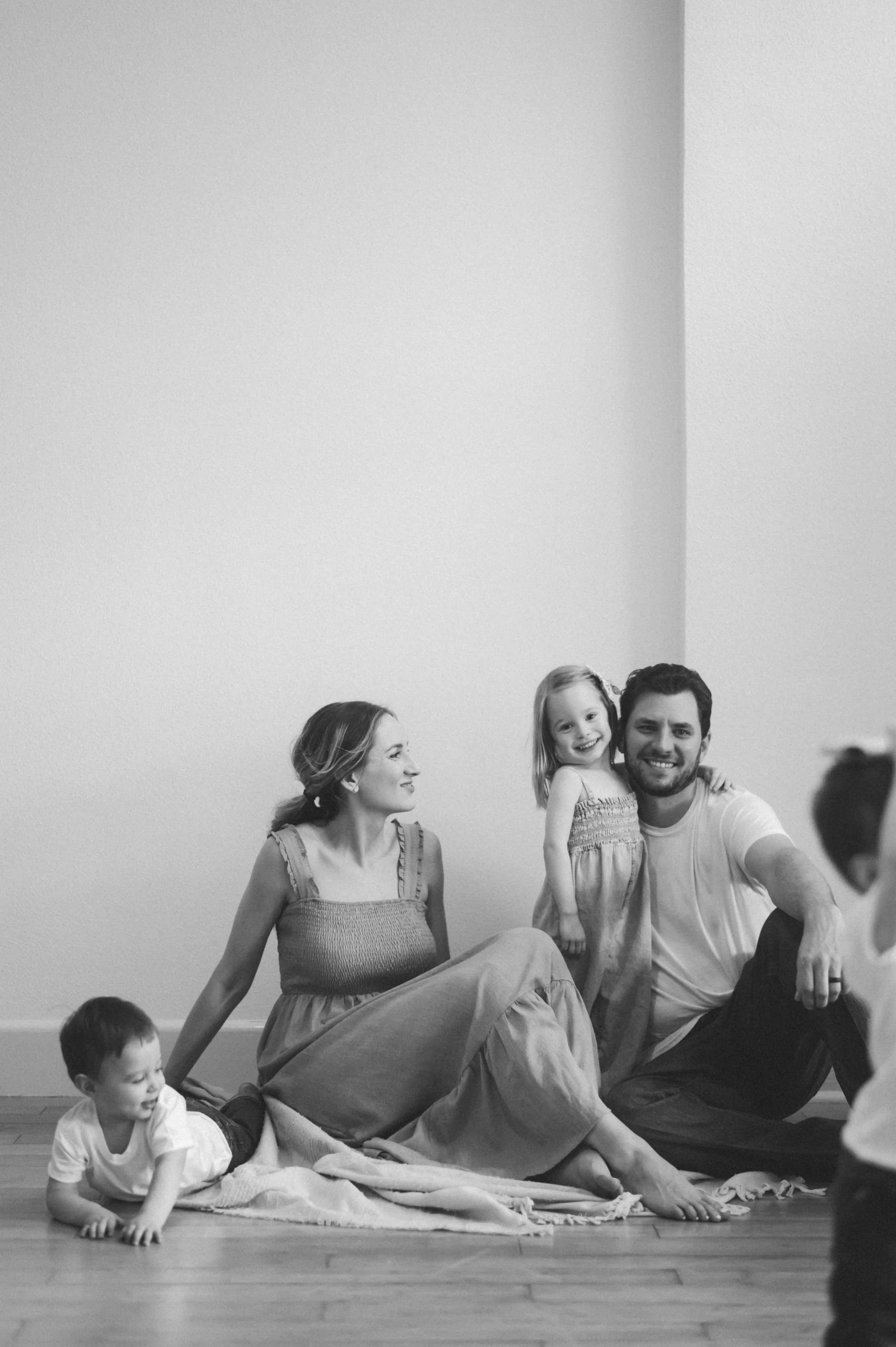
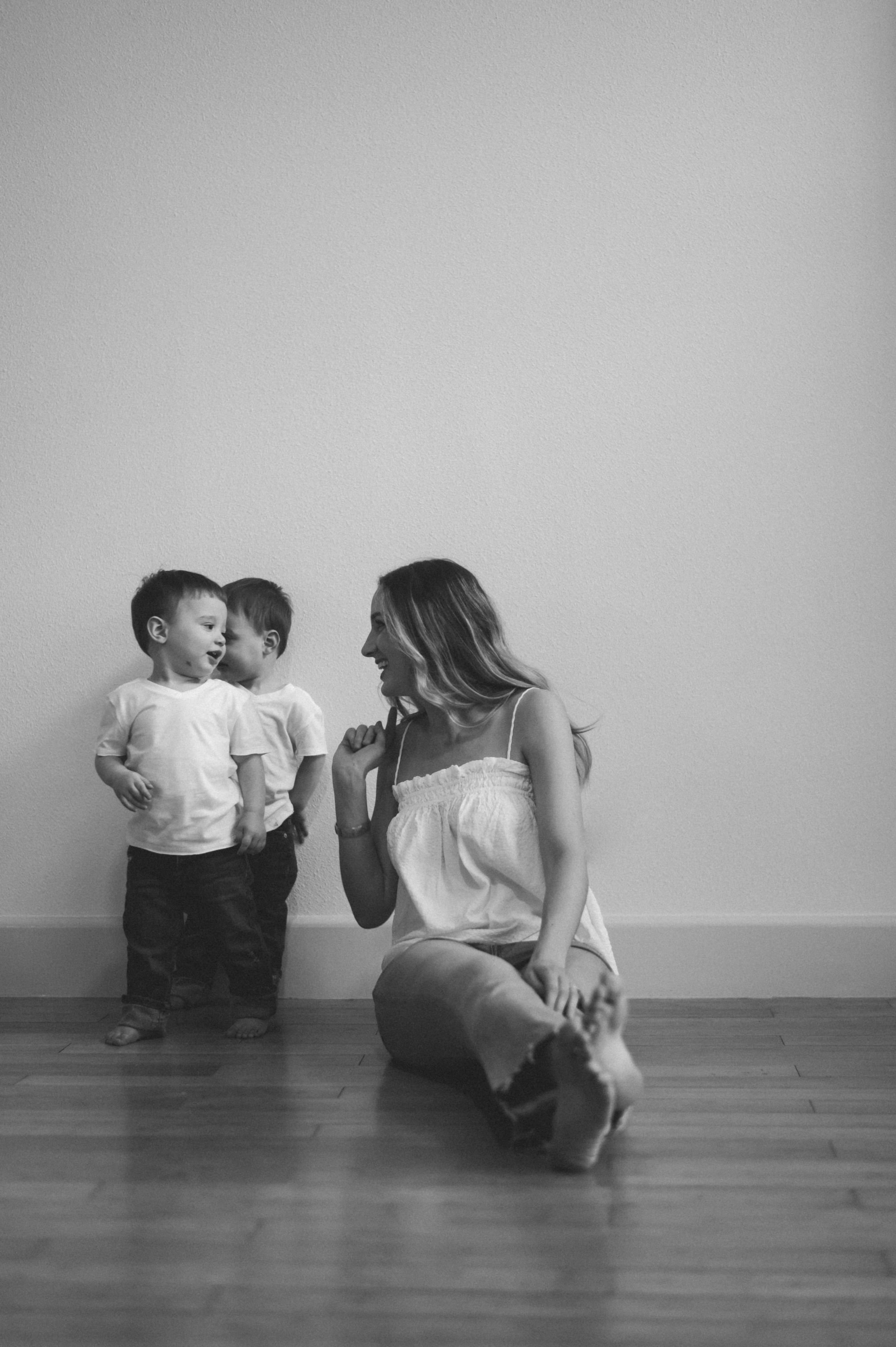
Thank you Maddie Ray for some of my very favorite family photos.

Living with Less and Prioritizing Simplicity in Our Home

It’s been a big year around here! As we’re approaching the boys’ first birthday, I’ve been thinking about how we’ve adapted to life with 3 under 3 - shifts we’ve had to make in our routines, our perspectives and our home.

One recurrent theme from this year has been SIMPLIFYING - born out of necessity but then very much an intentional shift. Three littles comes with a LOT of stimulation all day long and requires so incredibly much of my energy, both mental and physical. I could not afford, time-wise or mental health-wise, to also be stressed out by clutter and disorganization in our home, and I’ve really done an overhaul on not just the things we own, but the way I view them.

The goal has never been minimalism. I don’t desire to live with as little as possible. I do desire to only have things in our home that I love and that serve a purpose though, and I’m keenly aware now that every single thing that makes its way into our home 1) is the product of a decision and 2) requires ongoing mental energy. Maintaining it, cleaning it, storing it, inventory - the more you have, the more that effort multiplies.

Mental Prep Work Before Starting to Simplify

Probably important to mention that by nature, I don’t have sentimental attachment to very many things - maybe to a fault. I’ve always been pretty minimal too when it comes to products (makeup/skin/hair etc.) - I know what I like and I stick to it. I don’t have workwear for an office job. And I’ve never been into holiday decorating - outside of our Christmas tree and stockings, our home decor doesn’t change from season to season. These factors alone helped give me a head start on downsizing.

So let me preface all of this with the classic - “you do you.” Let your home reflect your life and the things you love. This is what has worked for us and the methods I’ve personally used to bring more peace, calm, and TIME back to my life in the midst of a very chaotic season. A lot of it probably sounds harsh or extreme, and it is! I had to do some major perspective shifts to get the ball rolling and let go of certain things, literally and figuratively. These were the big ones:

  • Certain things serve a purpose for a season. We get to decide when that season is over.

  • Not seeing things as what you paid for them. It can be hard to look at something and not see dollar signs, but sometimes you just have to chalk it up to paying for a lesson learned.

  • Is it a likely what if? Or an unlikely what if. If keeping something hinges on a what-if, assess the probability. Is the risk really worth the keep?

  • Letting go of guilt and feelings of obligation. Once an item enters your home and your possession - you and you alone are in charge of what happens to it.

  • Self respect. Say it with me: “I owe myself the respect of not settling.” Things you wear, use, give your energy to… if you look at something and feel hesitation, there’s a reason. And you don’t have to justify that reason to anyone else.

Live Simply by Annie has really insightful, helpful tips (and tough love/hard truths) for working through these things, getting over the hump and letting go of the fear, obligation, and guilt we associate with certain belongings. It’s an ongoing process for me and she’s been a great resource!

Focus Areas for Simplifying Our Home

EXPIRED. Anything expired = gone immediately. Food, medicine, beauty products, cleaning products. The easiest places to start! 

EXTRAS. What are all these extras actually for? What purpose are they serving? 

-Extra towels (not designated guest towels, but extra towels in general). Why? I have one set of favorite towels and a few other sets that sat in the cabinet for 7 years. I held onto them because I thought, “We registered for these. They’re nice. We might use them someday.” Except we really haven’t. I’d always just rather have my favorite set out. If you wash/dry your towels and hang them right back up, what are the extras for? Goes for sheets too.

Everyday use. Fancy. Guest. Fancy Guest. Uhhh - eleven?!

-Dish towels. Hand towels. Beach towels. Kids’ towels. Washcloths. All. the. towels. Keep the ones you really love. Save a few old ones for big spills and messes. Let go of the rest.

-Tote bags. Travel bags. All the bags. Pare it down. 

-Kitchen stuff. Duplicates, damaged, dingy… get rid of or replace.

-Extra cups. Water bottles. Yetis. Mugs. Koozies. Sippy cups. Kid plates. Toddler utensils. Bibs. Oven mitts. It was out of control, and we reach for the same ones over and over anyway. I edited these things ruthlessly. 

-Extras in the junk drawer. You know.

-Manuals. If you’ve ever had an issue with something, do you really go find the manual? Or do you consult Google or YouTube?

VISUAL CLUTTER

We’re working with about 1600 square feet for 5 people and a big dog, and as a mostly-stay-at-home mom, I spend a LOT of time in this house. In order for it not to feel cramped or for me not to go stir crazy, I’ve learned to appreciate decorating with WAYYY less and reducing the visual clutter on walls, shelves, tabletops, etc. We don’t have a lot of trinkets out or little things displayed - less to look at means less to think about + less to keep clean and right now, that’s where I want to be.

One thing I’ve reminded myself over the years as we’ve lived in and decorated a few homes is that not every wall or surface needs something. Don’t settle and buy something just to fill the space. Wait for something you truly love, or decide that it’s fine without anything at all.

TIP — I think a big contributing factor when there’s a cluttered feeling with decor is the scale. It’s hard to go too big. It’s easy to go too small, and then feel like you need more to visually fill the space - whether that’s on a wall, shelf, or table. Art and framed photos, especially. I’ve trained my brain to think “less, but bigger.”

TOY ROTATION

We started a toy rotation system last fall to keep the living room toy situation manageable since we don’t have a playroom. Three baskets total downstairs - Steele’s toys and books on the stair landing (behind the baby gate so brothers stay out of her stuff) and the boys’ toys by the sofa. The rest of their toys stay out of sight, out of mind in clear storage drawers in their closet upstairs, and I rotate things every couple of weeks. It’s a win all the way around! More focused play, less decision overload, easy clean up. Plus when I rotate different toys and books in, they get excited about them all over again. I try to limit things with lots of pieces to a few at a time downstairs, and we pick up once before nap time, once before bed. It’s worth it to me to spend a few minutes a few times a day to have a more peaceful space, and it makes the end of the day pickup more manageable.

WARDROBE

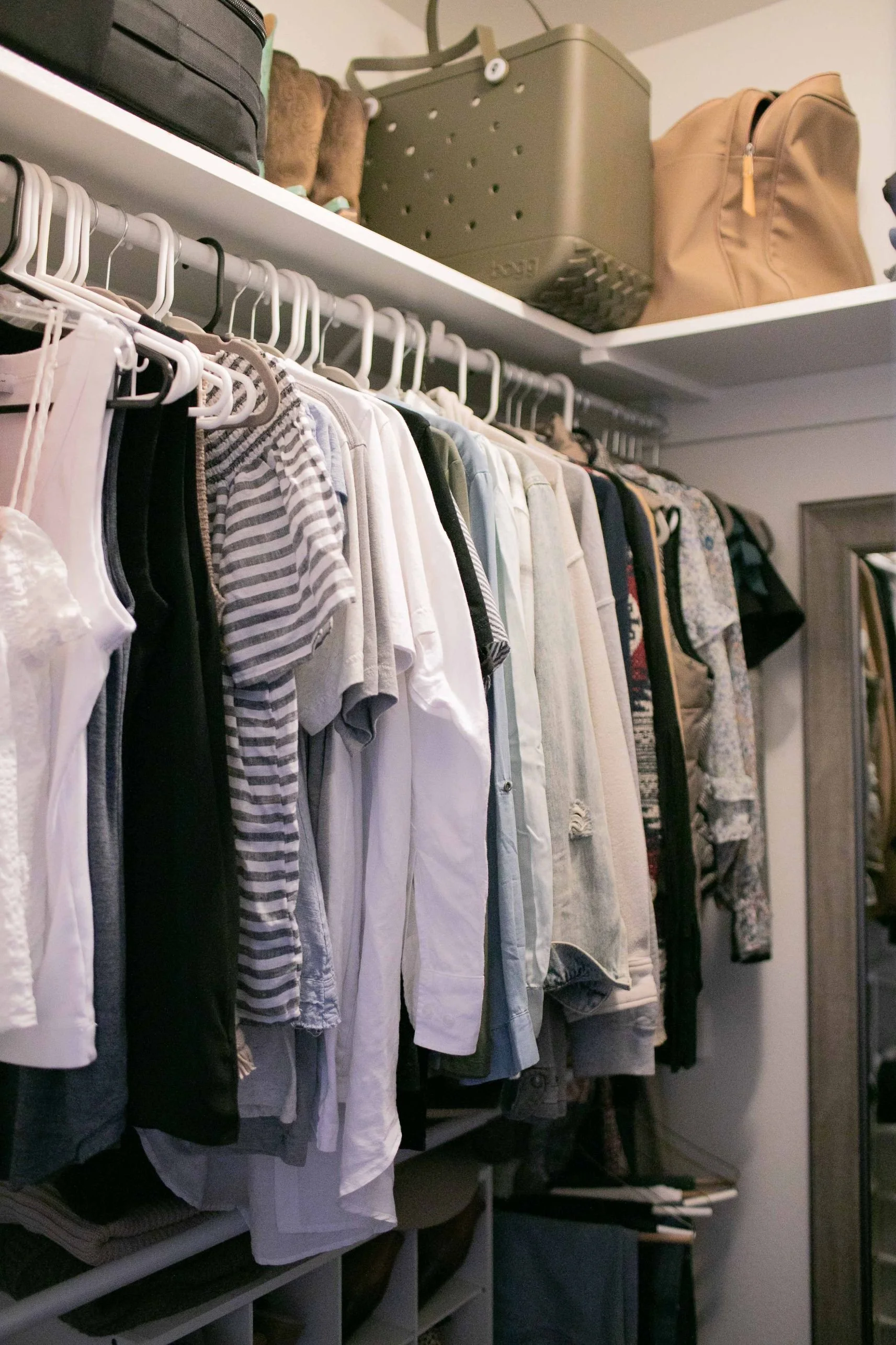
We’ve all done the closet clean out that feels productive for a while, but then you’re still finding shirts you bought in college and jeans you wore 2 pregnancies ago you just can’t seem to part with. I was determined this time to not just make a dent, but pare things down to the point of almost starting over — focusing on quality over quantity and rebuilding a wardrobe that really feels like ME. 32-year-old me, not 25-year-old me.

If I wasn’t sure about something, I physically tried it on and asked myself Does this make me feel confident? If I was shopping right now, today, would I buy this? If the answer to either was no, it was gone. No exceptions. That didn’t leave me with a whole lot - truly, anything I felt meh about, I got rid of. But what’s in there now are all things I truly love wearing. I can see what pieces I could really use now and take my time finding/investing in those things, and put together new outfits with versatile pieces in the meantime. I’ve also learned to be ok with being a repeater and I’ve embraced the idea of having a “signature style.” I know what I feel best in and what looks best on me — colors and styles — and I don’t feel the need to stray too far from that.

The extent of my hanging clothes on a 5 foot raCk. Jeans below and A 24-pair shoe organizer With room to spare, a 4-drawer Bin for swimsuits, hats, shorts, and workout clothes — socks, underwear, pajamas and t-shirts are in our shared dresser.

The extent of my jewelry, aside from my wedding rings, Aggie ring and the dainty gold jewelry I Wear every day.

As for jewelry - again, a ruthless edit. If it’s not something I’d pass down to my daughter or something truly timeless and classic that I reach for on a regular basis, time to go. Even if it was expensive. I got rid of probably 90% of my jewelry, packed certain things away to save for Steele, and invested in a couple things I’d had my eye on for a long time that I now wear day in and day out. 

For anything in my closet or dresser, I asked myself - do I feel any hesitation here? Why? Not in style, not MY style, uncomfortable, doesn’t fit quite right, worn out, tarnished, dingy… if any of those are true, I need to have the self respect to not wear something I don’t feel good in anymore. 

The other side of simplifying

Throughout this process, I’ve gotten more and more honest with myself. If I made a mistake and shouldn’t have bought something when I did - live and learn. Move on from it. Doesn’t mean I need to keep it. Loved it then but don’t love it as much now? It served me for a season and it’s ok for that season to be over. Never really loved it? Not worth your mental energy to hang onto, and now you know better. Over time, the simplifying process started to snowball into other areas - digital spaces (culling/deleting emails and iPhone photos daily, digital photo organization + regular backups, social media follow purge, etc.), our paper filing system, our pantry, our drop zone by the door - less, less, less.

For me, the greatest tradeoff is the headspace and mental capacity I have now to focus on more important things. To buy things with intention and patience and to be EXCITED about what’s in our home. To spend way less time picking up and organizing. To be able to breathe deeply and feel happy when I open my closet or walk into the living room every morning.

The size of our house used to stress me out - when we first found out we were expecting twins, I was overwhelmed thinking about the STUFF that would come with 2 more kids and worrying how we were all going to fit. How would our home not feel cramped 24/7? But after a year of taking intentional steps to simplify, I don’t feel like that any more. We have less in this house now than we did before our boys came along. Our home brings me joy. It’s a place I enjoy spending our days and I really don’t want to leave it anytime soon.

One year into some big changes and it feels GOOD. If you’re feeling stuck when it comes to living with less, decorating with less, or simplifying - message me! This is something I’m really passionate about and I’m always happy to chat.